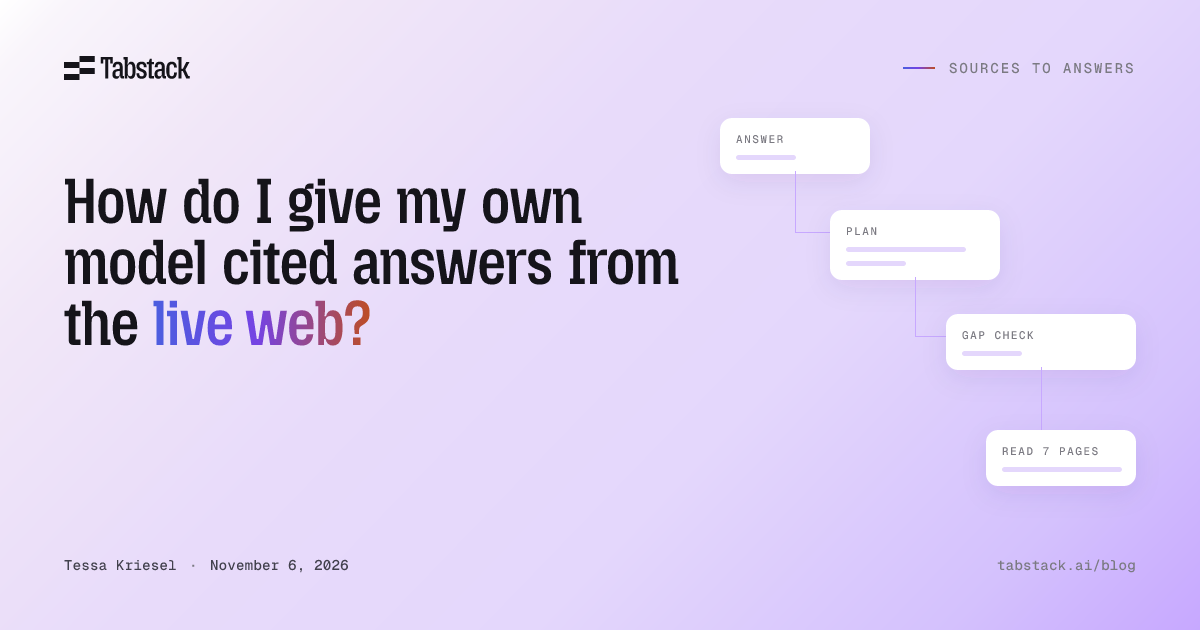
To give your own model cited answers from the live web, you need something that searches, reads the pages, writes the answer, and keeps each claim attached to its source. You have three routes: use a hosted provider’s built-in search tool, build that loop yourself around a search API, or call a Research API that returns the finished report with its cited pages so your model can use it as input.
The right route depends on the model you run and how much of the loop you want to own. This guide compares the three, shows the one-call version, and ends with the checks that make a cited answer worth trusting.
What a cited answer requires
A search API returns candidates: titles, URLs, and snippets. A cited answer is what comes out after the rest of the work is done. Between the question and the answer, someone has to:
- Work out what to search for, which is rarely one query for a multi-part question.
- Choose which results are worth reading.
- Fetch and render the pages. Snippets omit the qualifications, dates, and tables that change a claim.
- Pull the relevant evidence out of the markup.
- Check whether the evidence covers the question, and search again when it does not.
- Reconcile conflicts and qualify what is uncertain.
- Write the answer and attach the sources to the claims they support.
The search versus research guide walks through each stage. The question for your architecture is who performs them: your provider, your code, or a service.
Route 1: Use your provider’s built-in search tool
If your model is served by an API vendor that ships a web search tool, the vendor runs the searches and returns citation annotations with the response. It is the least code, and it is the usual first recommendation.
It only applies when the provider is the one doing the searching. If you run an open-weight model, a self-hosted model, or a hosted model behind your own application layer, there is no built-in tool to turn on. The search and the citations have to come from somewhere else.
Route 2: Build the pipeline around a search API
This is the standard advice for a model you run yourself: call a search API, fetch and clean the top pages, number the sources, instruct the model to cite by number, render the references, then verify every citation.
It works, and it gives you control over every intermediate decision. It also means your team owns every stage in the list above, including the loop back to search when the first results do not cover the question, and the evaluation that tells you whether the loop still works after a page, a provider, or a model changes. Choose it when source selection, evidence handling, or synthesis is part of your product. The architecture guide covers when that control is worth owning.
Route 3: One Research call that returns the report and its sources
A Research API performs the loop inside the call. You send the question; you get back a report plus the sources it cited. Your model, whichever model it is, receives the finished answer as input and continues from there.
Tabstack Research works this way. One call plans the queries, finds and reads sources, synthesizes a Markdown report, and attaches citations. In balanced mode it also evaluates coverage gaps and runs follow-up queries when something is missing. The work happens outside your model, so your model does not need to select sources or carry raw page content through its own context window.
import Tabstack from '@tabstack/sdk'

const client = new Tabstack()

const stream = await client.agent.research({
  query: 'What are the main approaches to browser automation for AI agents?',
  mode: 'fast',
})

for await (const event of stream) {
  if (event.event === 'complete') {
    console.log(event.data.report)

    const cited = event.data.metadata.citedPages ?? []
    console.log(`\nCited ${cited.length} sources:`)
    for (const page of cited) {
      console.log(`- ${page.title ?? '(untitled)'}: ${page.url}`)
    }
  }
  if (event.event === 'error') {
    throw new Error(event.data.error.message)
  }
}
What comes back on the complete event:
report: the synthesized answer as a Markdown string.metadata.citedPages: every source the report cites, one entry per page. Inbalancedmode each source also carries the claims it supports; infastmode that list is empty.metadata.executedQueries,researchQuestions, andtotalPagesAnalyzed: what the run searched for and read, so you can inspect how the answer was built.usage.actions: the number of billable actions, one per search iteration.usageis typed from SDK 2.9.0 and is optional, so null-guard it.
Hand report to your model as context, or render it directly. Keep citedPages next to it so the claim-to-source record survives whatever your application does next. The Python version, with streaming, timeouts, and failure handling, is in Build a cited live-web answer in Python with one Research call.
Which route fits your model
| Route | What your application receives | Who runs the loop | What your team maintains | Fits when |
|---|---|---|---|---|
| Provider search tool | The provider’s response with citation annotations | The model provider | The prompt and the rendering | Your model is served by a vendor that ships the tool |
| Pipeline you build | Whatever output contract you implement | Your code and your model | Search integration, fetching, extraction, prompts, loop limits, verification, evaluation | Control over source selection or synthesis is part of the product |
| Research API | A Markdown report plus the cited pages, with claims per source in balanced mode | The service | Integration and output acceptance | You run your own model, or you need the answer as an input and the service’s controls meet the job |
To learn which route answers better or costs less on your questions, compare complete configurations on your own question set, and count failed and incomplete runs alongside the successful ones. A twenty-question evaluation set and an evaluation plan for search + fetch + model versus managed research are available to start from.
Make the citations trustworthy
Whichever route you choose, a cited answer ties each claim to a passage that supports it. Before you ship:
- Check that every decision-driving claim has a source, and that the cited passage supports it. Models sometimes attach a real source to a claim the source does not support.
- Prefer primary sources over pages repeating other pages.
- Keep source URLs and dates with the answer, and separate current information from background.
- When sources disagree, show the disagreement instead of picking one silently.
- Keep the citation metadata the search or research step returned, and render links from it rather than asking the model to reconstruct them.
The citation review method is a repeatable way to run these checks.
What happens to your question
When your model runs on your own hardware, the web service it calls still receives the question. A search query or a research request follows the data path of whichever provider you call, so check that path before you send a question that carries anything sensitive.
Tabstack Research is never trained on and private by default, and it is built by Mozilla. An organization admin can turn off request-history collection in the console, and the Trust page and data handling documentation describe what is processed, what is stored, and for how long. If your question includes personal data, redact it on your side first.
Controls and cost
modeisfast(default) orbalanced. Fast consults fewer sources and usually returns in under a minute. Balanced consults more, emits additional progress events, and is available on the Team and Pro plans.- Research always streams. Listen for
complete; anerrorevent arrives inside the stream rather than as an HTTP error, so handle it explicitly, and treat a stream that ends without either as incomplete. - The server sets no timeout on the call as a whole; the SDK defaults to 10 minutes for Research. Set your own budget on the client.
- Research bills per action, one per search iteration: 250 credits per Fast action and 350 per Balanced action. The
completeevent reports how many actions ran, and calls that end in an error are not charged.
Frequently asked questions
Can I use this with an open-weight or self-hosted model?
Yes. The research happens outside the model. The report and cited pages come back as data, and any model that can read text can take them as input. There are worked examples for Open WebUI, LangChain, LlamaIndex, the Vercel AI SDK, and the Claude Agent SDK.
Does my model need to call search and fetch tools itself?
No. One Research call covers planning, searching, reading, and synthesis. Give your model search and fetch tools instead when its next step depends on what it learns mid-task and it must choose what to investigate next.
What if I already know the URL?
Use Extract instead: Markdown when the next step needs the page content, or JSON matching your schema when it needs fields.
How do I add this to an application that already has a model?
Call Research before the model turn, pass report as context, and keep citedPages for rendering. Add current, cited answers to your model application without touching the model shows the full integration.
Make a research call
Write down the answer your feature must return and the claims it must support. Then run that question through the Research playground and check the report and its cited pages against what you wrote. The Research docs cover the full event stream and the complete payload.